Free browser extension

What if I invested it?

Before you buy, see what that money could have become. FatDCA shows any price online invested in the S&P 500, gold or Bitcoin, with real historical prices.

  • Free
  • No account
  • Nothing leaves your browser

On your phone? Browser extensions work on computers. Open fatdca.com/extension on your laptop to install it.

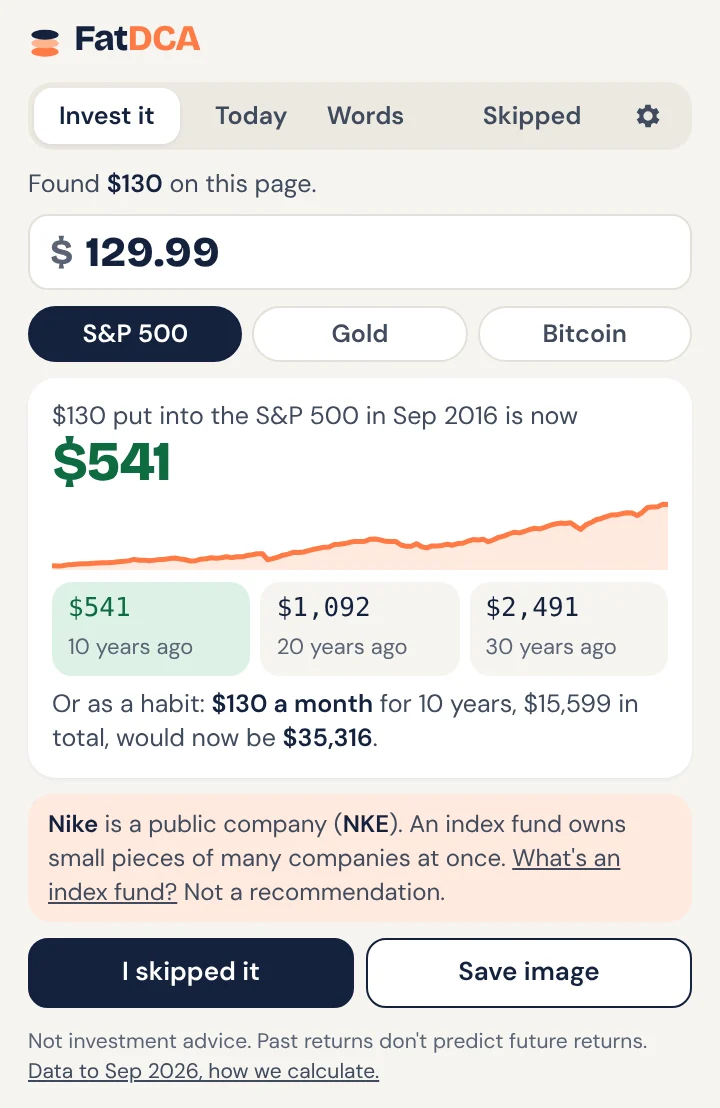
The FatDCA extension on a product page: $130 put into the S&P 500 in 2016 is now $541

Five things it does, in one small icon

The Invest it tab of the FatDCA extension
Invest it

See what any price could have become

Click the FatDCA icon on a product page. It finds the price and shows what that money, put into the S&P 500, gold or Bitcoin 10, 20 and 30 years ago, is worth today, with real historical prices.

  • The same amount as a monthly habit for 10 years
  • Prices as hours of work, if you add your hourly pay
  • Big brands show their stock ticker, like Nike (NKE)
  • Every number opens the full chart on fatdca.com
  • Save a share image of the result
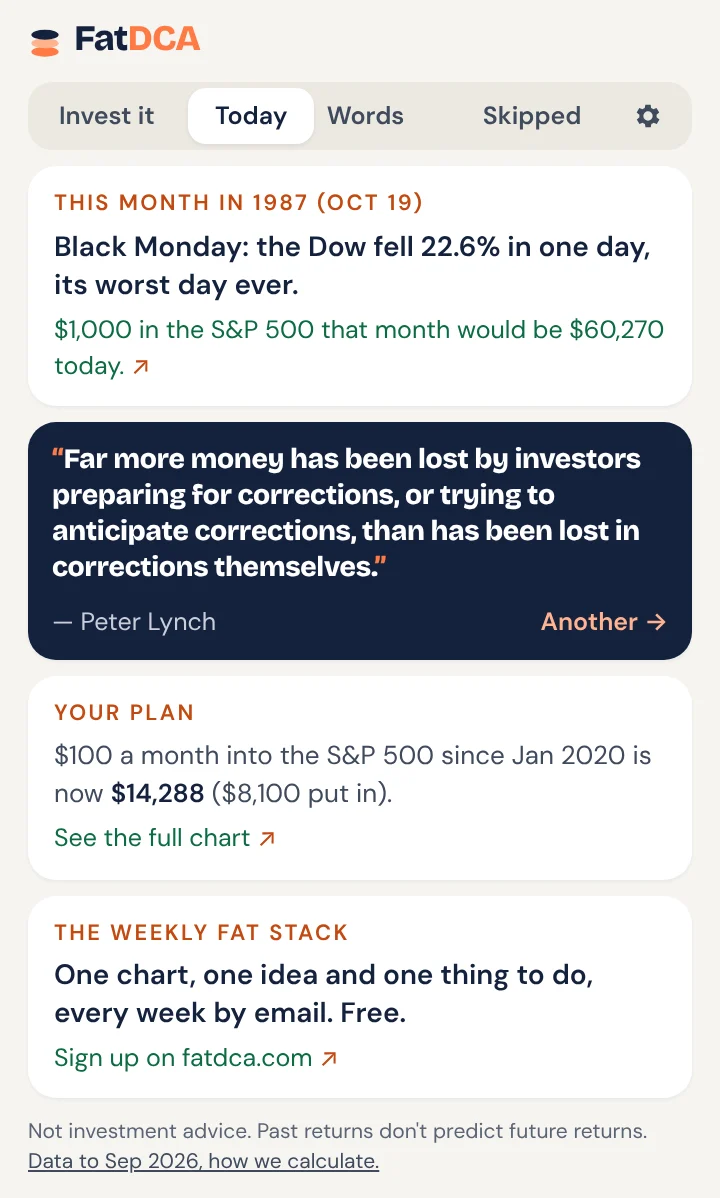
The Today tab of the FatDCA extension
Today

A little market history every day

What happened in the markets on this day, from Black Monday to the first Bitcoin block, and what $1,000 invested then is worth now. Plus a quote on saving, investing or building something, and your own plan at a glance.

  • On this day in market history
  • Quotes from Buffett, Bogle, Munger, Lynch and more
  • Your monthly plan and what it has grown to
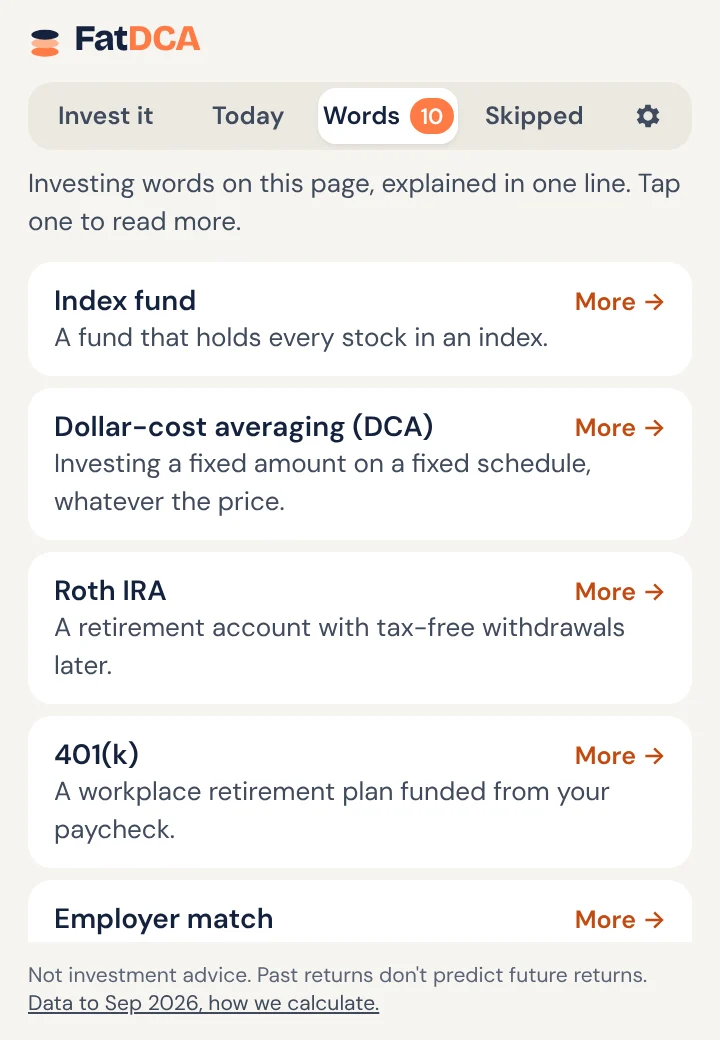
The Words tab of the FatDCA extension
Words

Investing jargon, explained on the page

Reading about ETFs, a Roth IRA or expense ratios? FatDCA lists every investing word on the page with a one-line explanation, and one click opens the full guide.

  • 50 terms in plain English
  • Works on any article or broker page
  • A small number on the icon shows how many it found (optional)
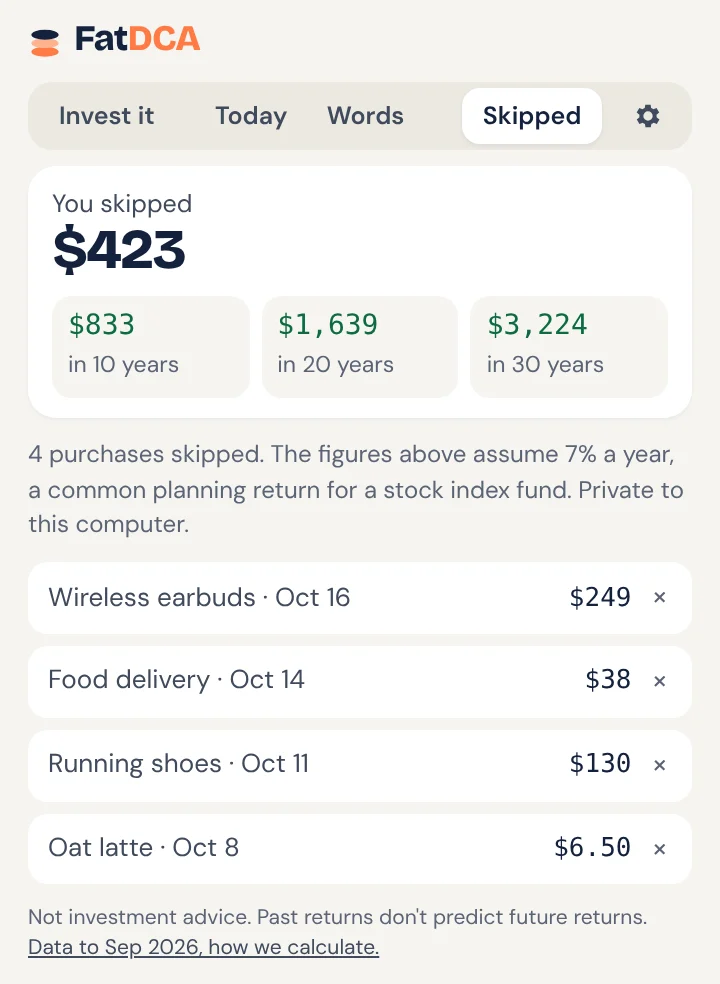
The Skipped tab of the FatDCA extension
Skipped

Skip it. Watch it grow.

Decided not to buy something? Tap "I skipped it". FatDCA keeps a private running total of what you didn't spend and what it could grow to in 10, 20 and 30 years.

  • Private: stored on your computer only
  • Remove any item with one click
  • Small wins, made visible
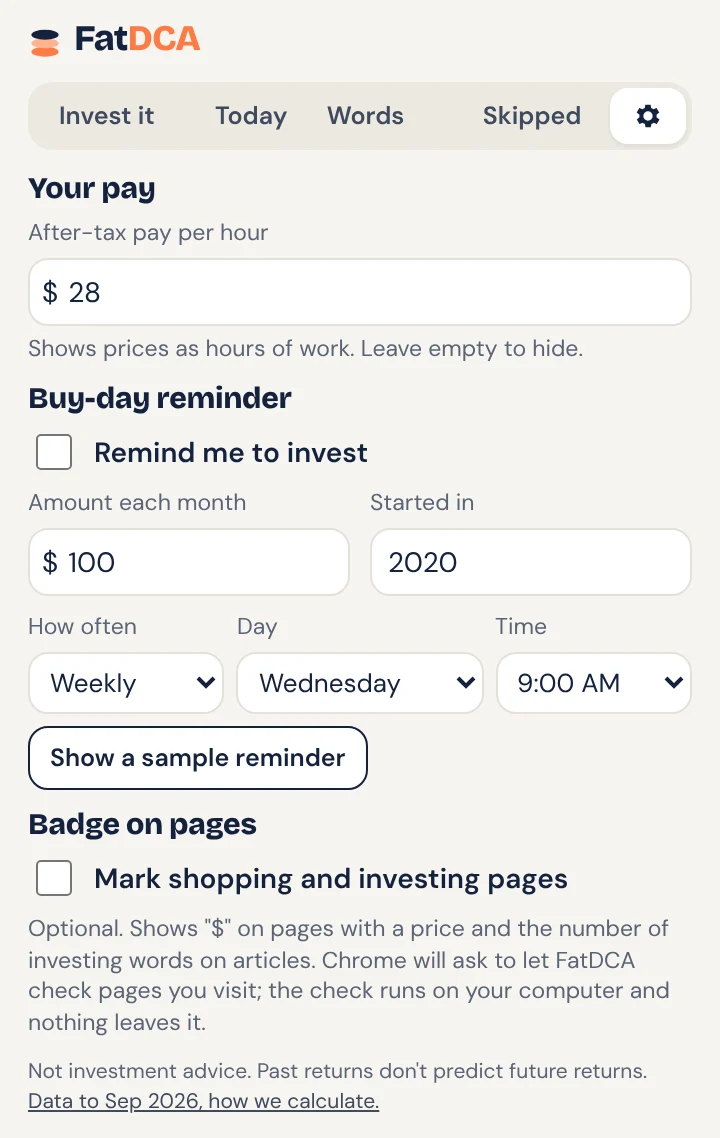
The Buy-day reminder tab of the FatDCA extension
Buy-day reminder

A gentle nudge to stick to your plan

Pick weekly or monthly, a day and a time. On your buy day you get a short notification with a small chart of what your plan has grown to so far.

  • No account or email needed
  • Turn it off any time
  • Click it to open your plan on fatdca.com

And a few shortcuts

Right-click any price

Select a price like "$129" on any page, right-click, and choose "What if I invested…".

Type it in the address bar

Type "fatdca 250" in Chrome's address bar and press Enter.

A "$" on shopping pages

Optional: the icon shows "$" on product pages, so you remember to check.

Works in Chrome, Edge and Brave

One extension for every Chromium browser on Mac, Windows, Linux and ChromeOS.

Install in under a minute

  1. Step 1Add it

    Click "Add to Chrome" above, then "Add extension" in the Chrome Web Store.

  2. Step 2Pin it

    Click the puzzle piece next to the address bar and pin FatDCA, so the coins stay in your toolbar.

  3. Step 3Use it

    Open any product page and click the coins. That's it.

Privacy

Nothing about you leaves your browser

No account, no tracking, no ads. FatDCA reads a page only when you click its icon, on your own computer. Your settings and skipped purchases stay on your device. The only download is our public price file.

Read the privacy policy →
  • Read the page you're onOnly when you click the icon, to find the price and investing words.
  • Storage and alarmsTo remember your settings and schedule the optional reminder.
  • Notifications (optional)Asked only when you turn on the reminder.
  • Check pages for a price (optional)Asked only if you turn on the "$" badge. Off by default.

Common questions

Is it free?

Yes. No account, no ads and no paid version.

Does it track what I browse?

No. It reads a page only when you click the icon (or, if you turn on the optional badge, to check for a price), and that happens on your computer. Nothing about your browsing is sent anywhere. The only thing it downloads is our public price file.

Where do the numbers come from?

The same real monthly data as the FatDCA calculators: the S&P 500 with dividends reinvested, gold and Bitcoin prices, updated twice a month. See our methodology page.

Does it work on Safari or Firefox?

Not yet. It works on Chrome, Microsoft Edge, Brave and other Chromium browsers.

Is this investment advice?

No. It shows what happened in the past to help you think about money. Past returns do not predict future returns.

Try it on your next purchase

Add to Chrome, it's free
The Weekly Fat Stack · starts January 2027

Get one chart like this every week

  • 1chart from real data
  • 1idea in plain English
  • 1thing to do this week
What's in it →